
Advanced Stem Separation
Advanced Stem Separation breaks a song down with more precision and cleaner results than before, and it lets you decide how that happens with three unique separation modes: Auto Split, Split from Mix, and Advanced Split. Each built for a different separation goal as explained below. Strip out a vocal, lift a single instrument, or prep a full set of stems for your DAW. The mode you choose shapes how the song comes apart and which pieces you walk away with. Accessing these split tiers requires a paid Suno plan. Pro members can utilize the Auto Split and Split from Mix features, whereas those on the Premier tier gain additional access to the Advanced mode.
Choosing how to split your song
Auto Split
Auto Split analyzes your track and divides it into up to 12 stems — drums, bass, guitar, keyboards, woodwinds, and more. Auto Split uses 50 credits per extraction (12 stems).
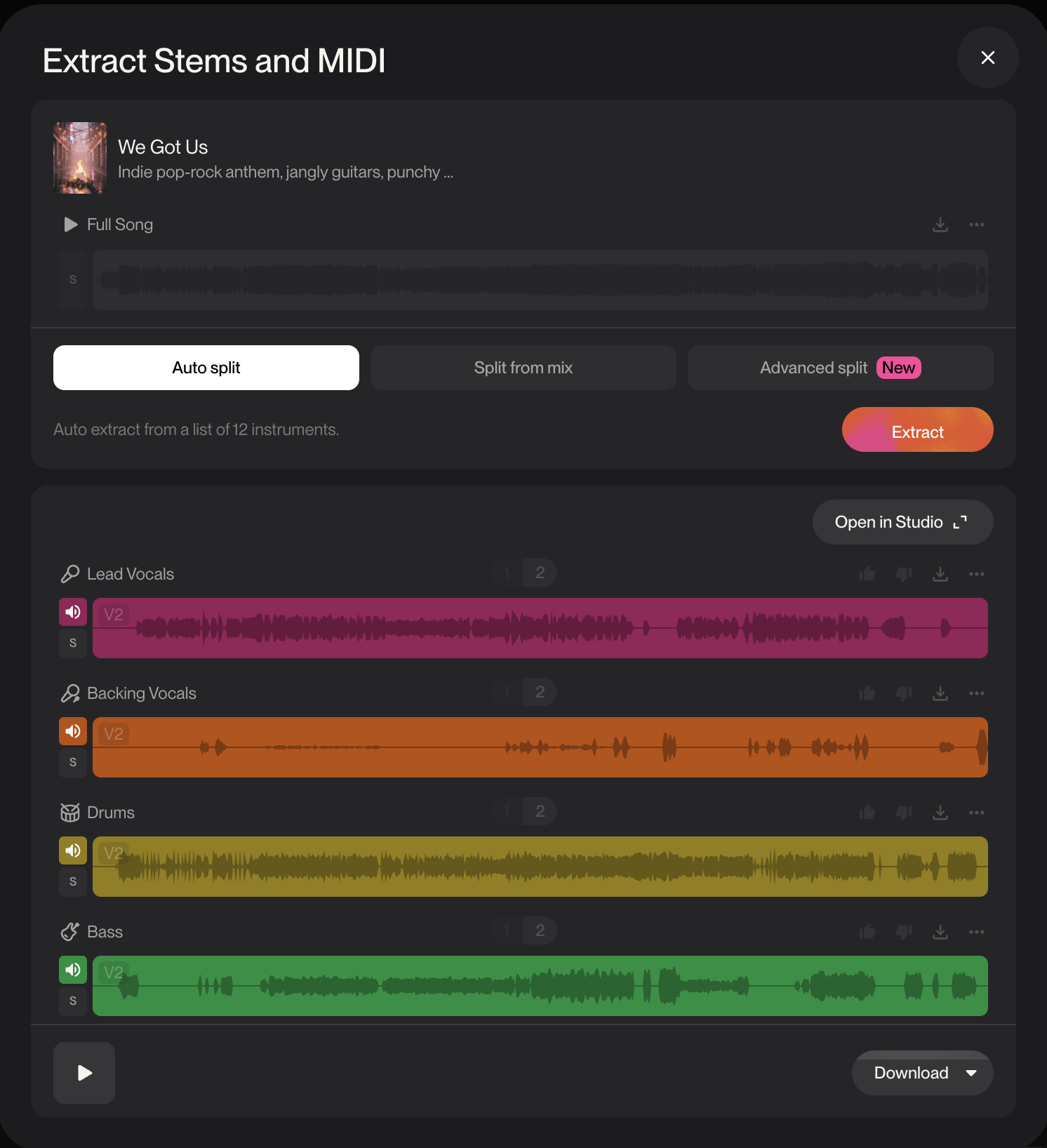
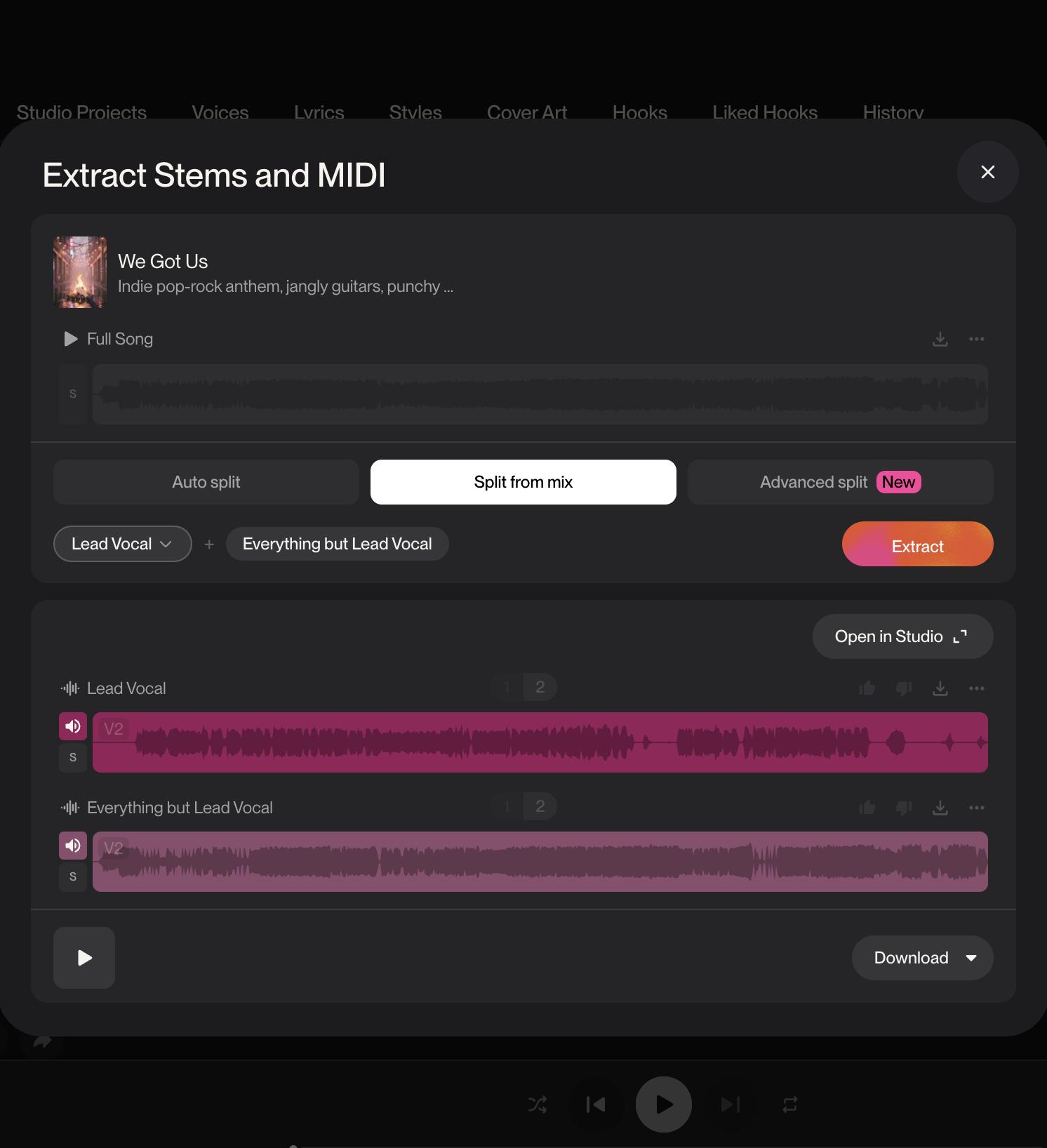
Split from Mix
Split from Mix lets you extract a single instrument or vocal from your song — for example, if you want to separate just the bassline, vocal or guitar part from the song. You also get the complement to your split, containing everything except the extracted stem. Split from Mix uses 10 credits per extraction (20 credits total for both stems created).
Advanced Split
Advanced Split lets you decide which stems your track gets separated into. Choose from a list of nearly 100 instruments and create your custom stems to suit your track. Advanced Split uses 10 credits per extraction (20 credits total for both stems created), per stem.
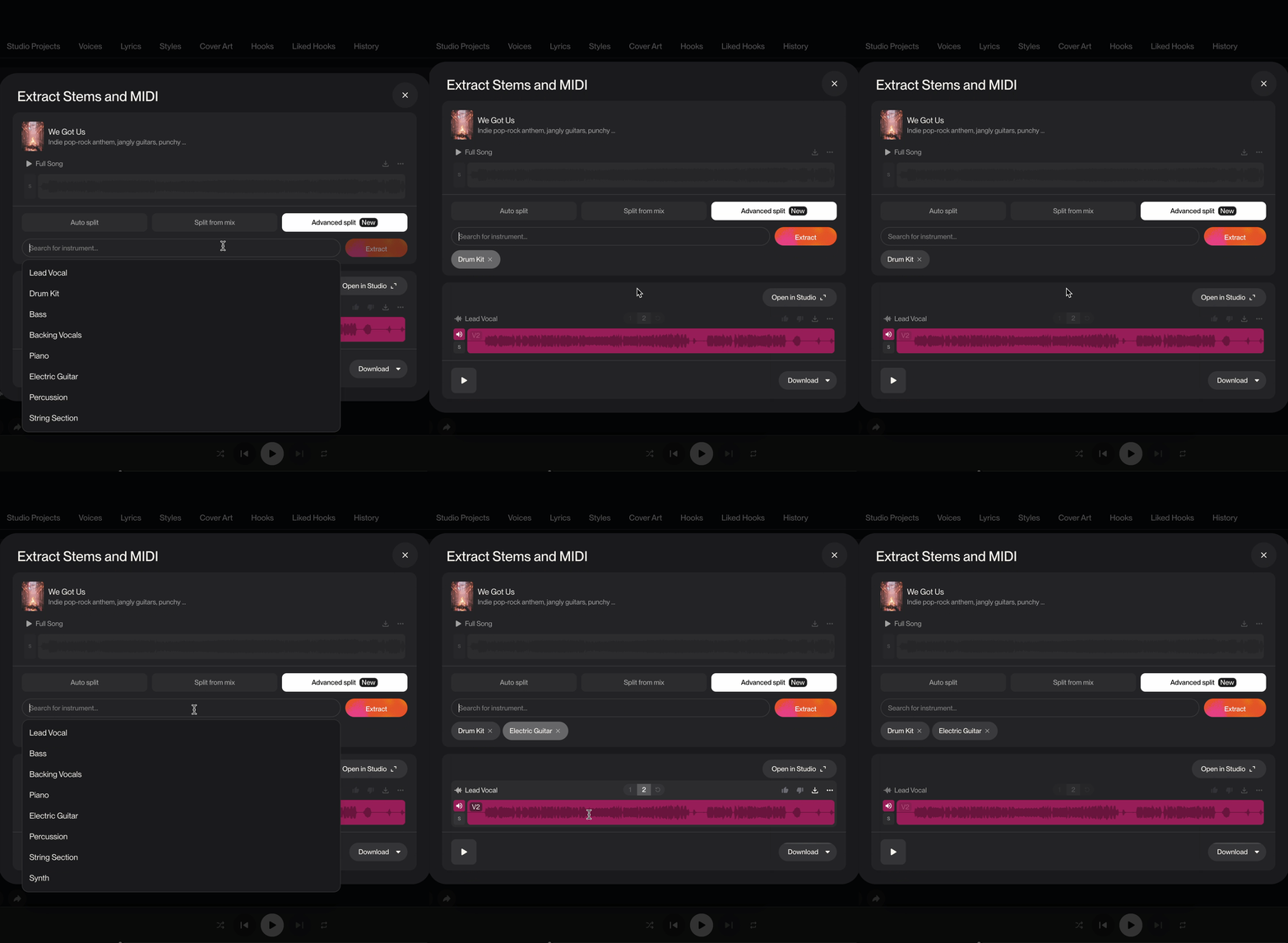
How to Use Advanced Stem Separation on Suno
Best use cases
Auto Split: Quickly separate stems of your song for mixing in Studio
Split from Mix: Separate specific stems for a performance track; i.e.a singer who wants an instrumental made to perform live
Search quickly through stems to separate for a faster workflow
What changed from the old version
Before this update, you had two choices: Auto and Vocal + Instrumental.
Auto shown as "all detected stems" is still around. It recognizes up to 12 instrument types, though it doesn't always label them correctly.
Vocal + Instrumental has been updated to Split from Mix - with the ability to choose which instrument you split (not just vocal)
The new modes push that idea much further, especially for producers who need to cleanly isolate one instrument at a time.
Stem separation is a paid feature, so you'll need a Suno subscription to use it. As a Pro subscriber, you get Auto and Split from Mix. Premier subscribers get those two options, plus Advanced mode.
Note: If you try to split out an instrument or vocal that is not actually present in the song, the request may still use credits, but it may not produce a usable stem.